Home/Research tool/Discussion Groups

Research tool

Run qualitative discussions without the coordination drag.

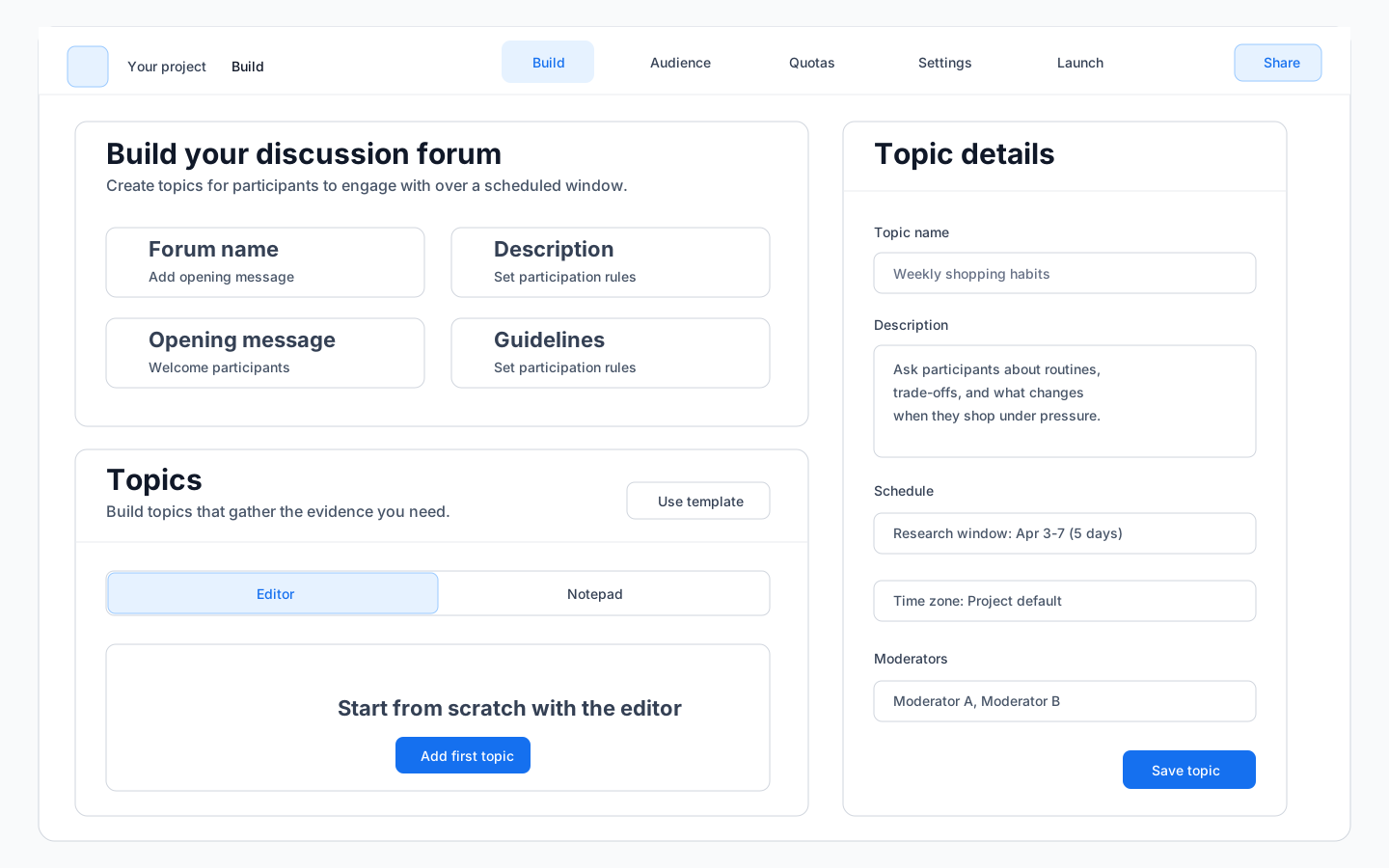
<un>peel's Discussion Groups tool lets teams gather richer context over several days instead of forcing everyone into the same live session. It is designed for researchers who want depth without live-session logistics and want the evidence to stay connected to the rest of the project later.

A research tool inside the <un>peel platform. Starter plans give single-tool access. Foundation and above include the full toolset.

Why this is not just another discussion board

Standalone discussion platforms are good at running boards. They are weaker at keeping the output connected to the rest of the research story once the activity is over.

The point here is not only to host an async qual activity. It is to keep prompts, participant responses, themes, and follow-up evidence attached to the wider project record so the work remains useful after the group closes.

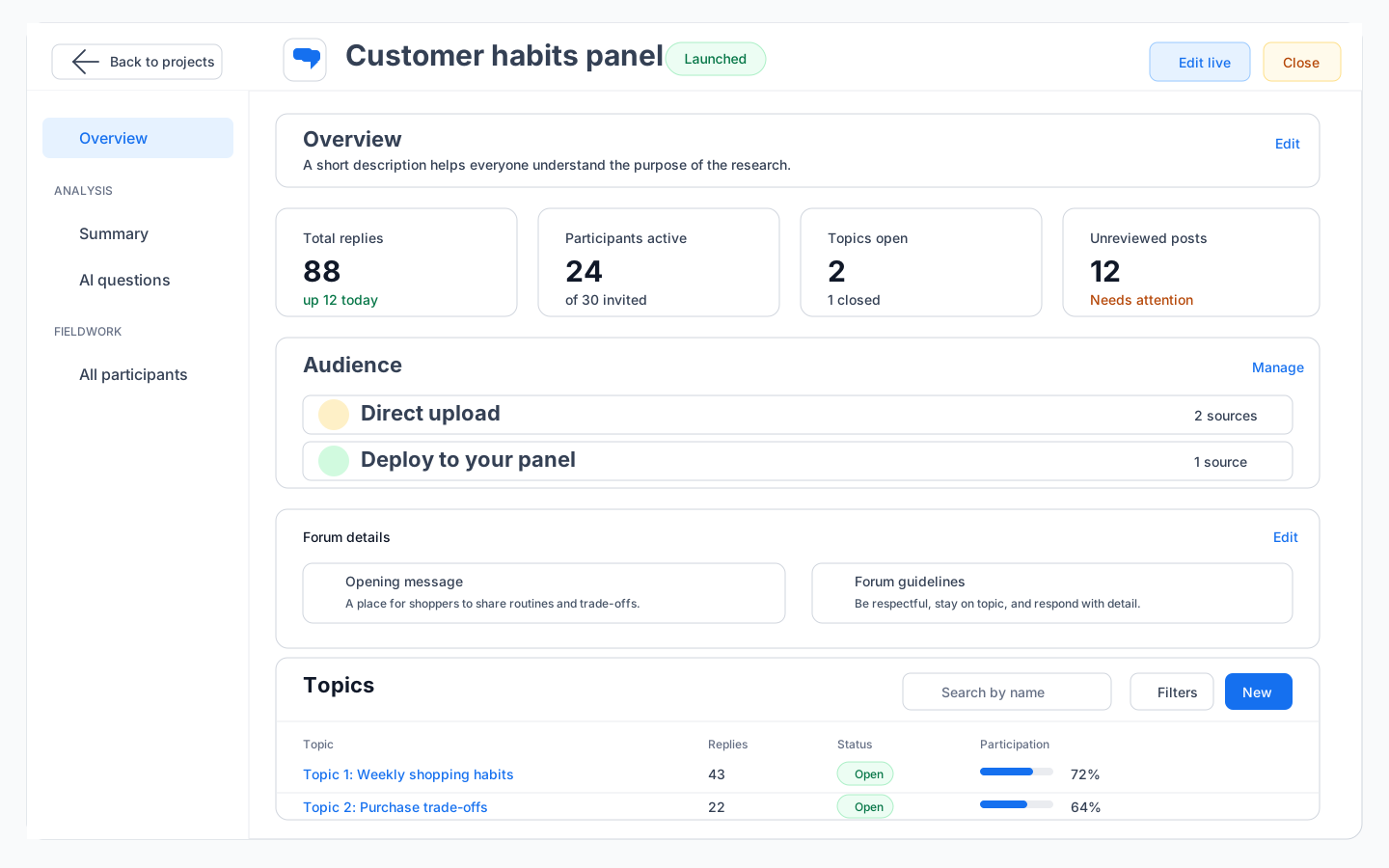
Discussion Groups forum view with participant responses and promptsDiscussion Groups forum view with participant responses and prompts

When teams use it

Discussion Groups work best when researchers need deeper language, reaction, and context than a survey can provide, but still need a workflow that fits the pace of the business.

They are also a practical alternative when a client needs in-depth qualitative insight but does not have the budget for a full moderated focus group programme.

  • Exploring attitudes, language, and framing around a topic
  • Concept or stimulus feedback without live-session logistics
  • Customer or community studies that run over several days
  • Qualitative follow-up to patterns first seen in quant work
  • Cost-effective qualitative depth when a moderated focus group is not in budget

How researchers stay in control

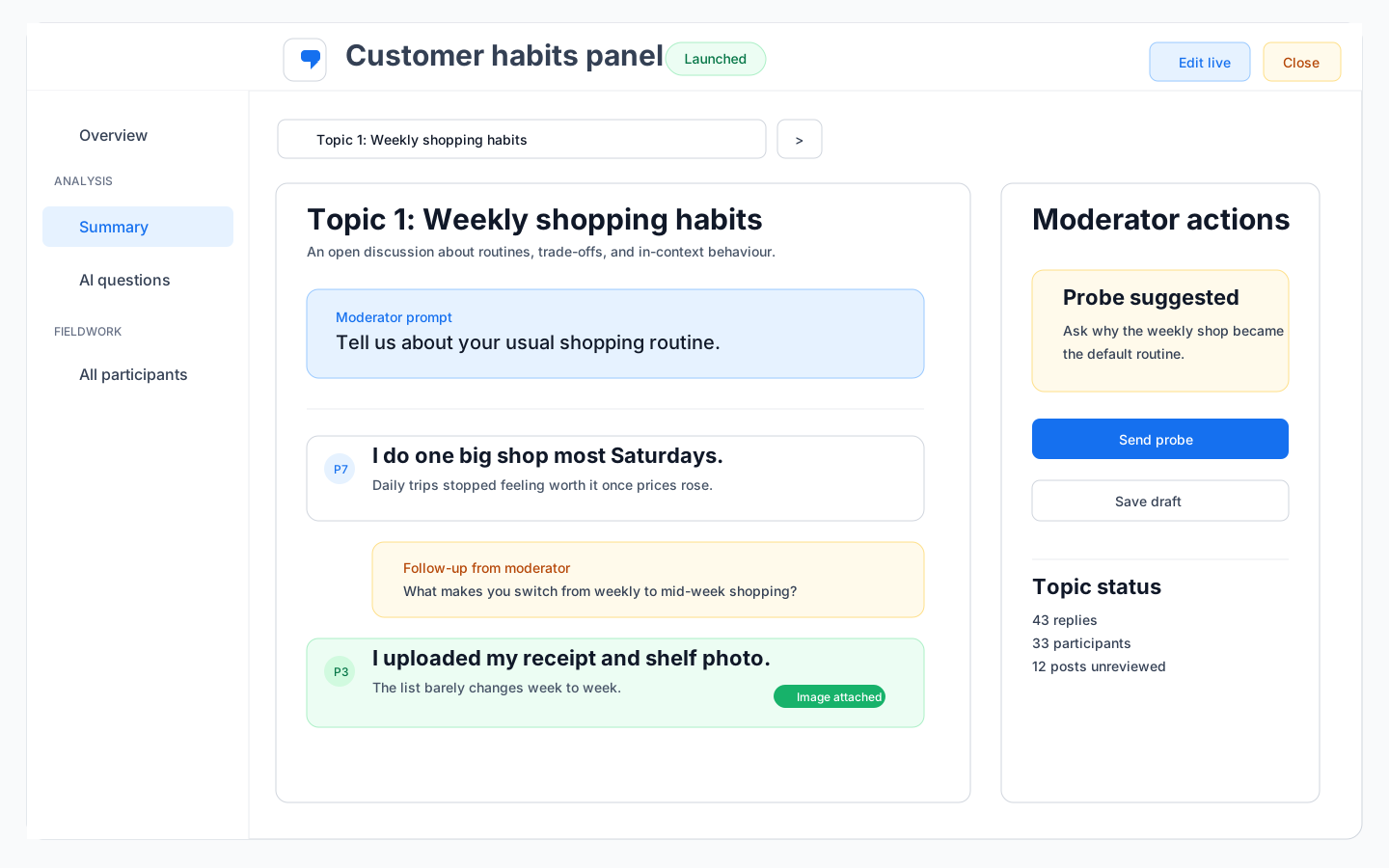
The tool supports the moderation process rather than replacing it. Researchers define prompts, manage the discussion structure, decide when to probe, and interpret what matters.

That keeps the work aligned with the team's standards instead of turning qualitative research into a black-box workflow.

Discussion Groups moderation interface showing prompt management and participant responsesDiscussion Groups moderation interface showing prompt management and participant responses

What makes it more useful later

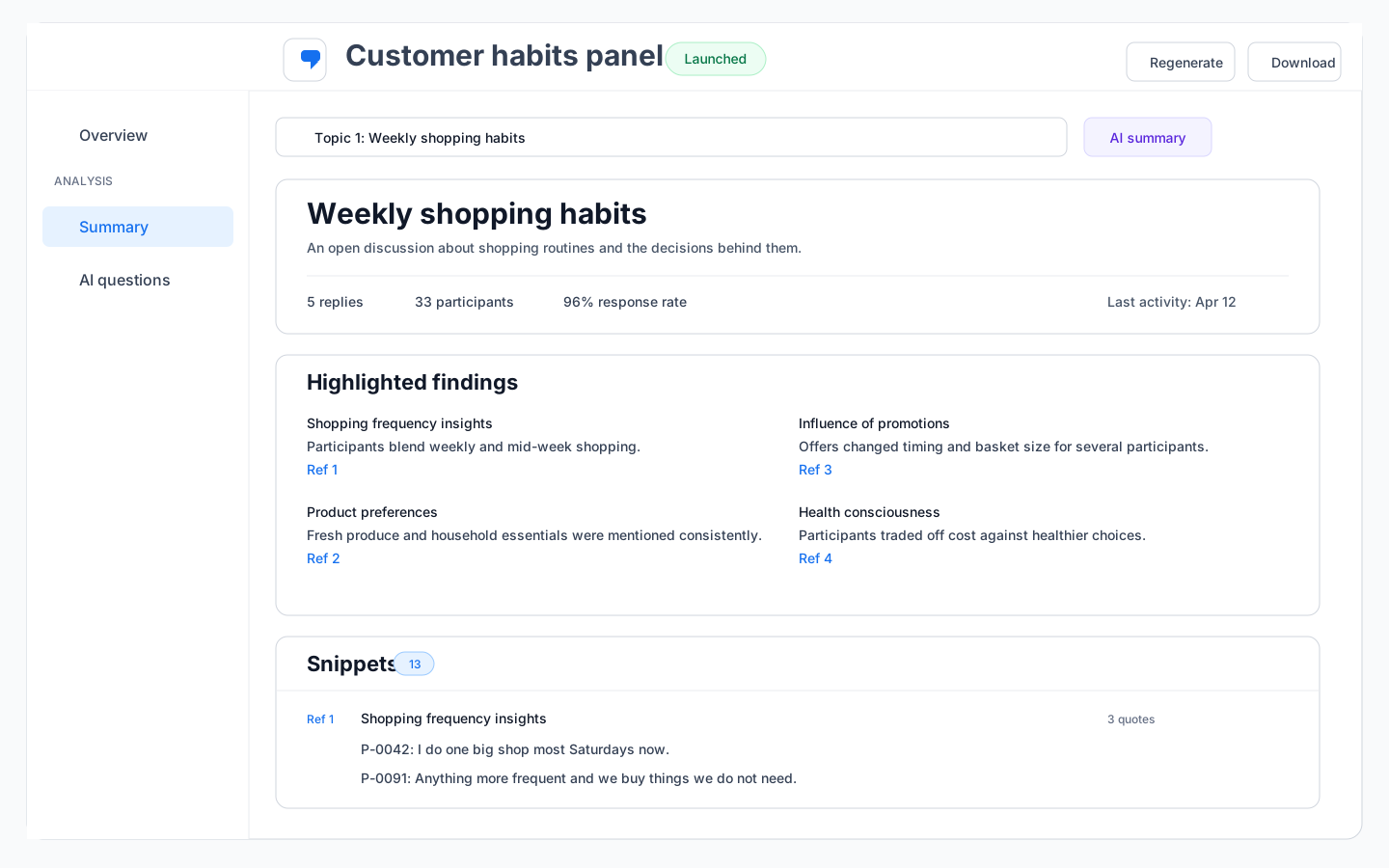
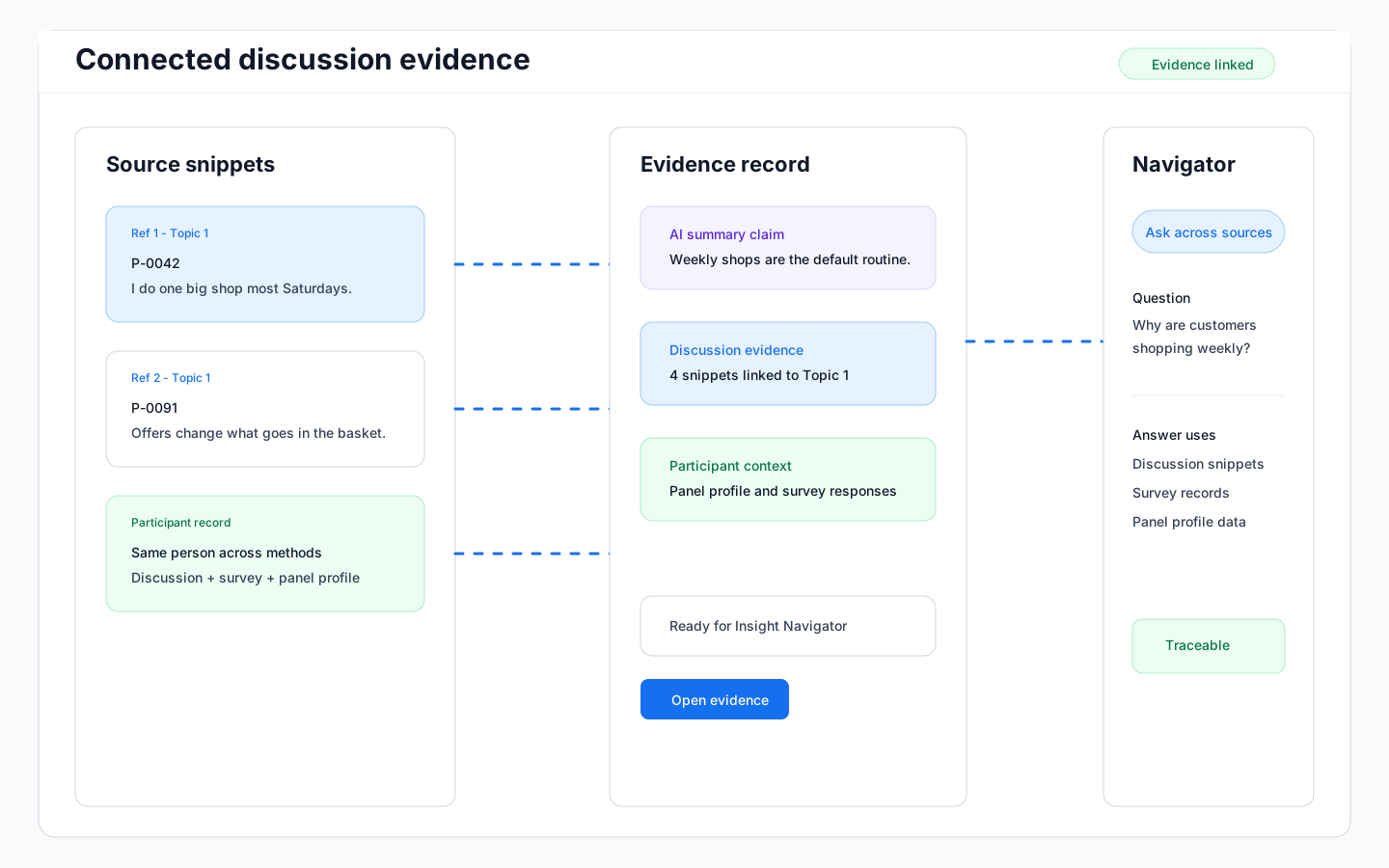
Because the discussion sits inside the wider platform, transcript-level evidence can flow into Insight Navigator alongside survey work, Guided Interviews, briefs, and outputs.

Participants are matched by email within the panel, which means anyone who completes a discussion group activity can also be matched to their responses in quantitative studies. That makes it possible to connect qualitative language and attitudes directly to the survey data from the same person.

That makes the format more useful than a board that ends as another isolated export. When stakeholders ask follow-up questions later, the evidence is still connected to the wider project context.

Panel matching view connecting discussion group participants to survey dataPanel matching view connecting discussion group participants to survey data

Next step

See how async qualitative research fits into the wider system.

Book a demo and we will walk through how Discussion Groups help teams move faster without reducing everything to a quick poll.